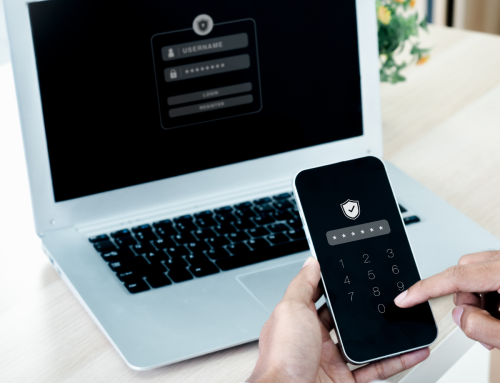


The truth is, passwords are relics of the past – they don’t work anymore and if your business isn’t using MFA with Microsoft 365 you are going to be involved in a cyberattack – if not this year, then the next.
Think of a password as an old-fashioned key lock on your front door. Don’t you want something stronger and more secure? That’s MFA – a stronger and more secure guard for your valuable data.
So what does Microsoft 365 have to do with this? Your business’ Microsoft 365 is the gateway to your data – and if someone gets in, they can mine your emails, documents, chats and more for that data – putting your business at risk.
Currently, the default and most secure authentication method for Microsoft 365 is that when signing in, the login screen displays a 2-digit number that the user is prompted by their Microsoft Authenticator app’s push notification to enter.
In that way, if someone is signing into a spoofed login page designed to harvest their credentials, that spoofed page cannot generate an acceptable 2-digit number or send a push notification to that user’s Microsoft Authenticator app, as those processes all happen within Entra ID, Microsoft’s cloud-based identity and access management platform.
Thus, because the user not only has to approve the sign in but also provide information from the sign in session, that method is very secure. However, in Microsoft Authenticator, every account set up also has a one-time passcode (OTP) that changes every 30 seconds. For some types of accounts, this is the only authentication method, but for Microsoft accounts, push notification and 2-digit number entry are the default.
However, bad actors know that every Microsoft account also has an OTP that can be used as a backup authentication method in case push notifications aren’t working properly. Therefore, on their spoofed login pages, after the victim enters their credentials, the spoofed page will ask for their OTP. If a user is not savvy enough to realize they should have received a push notification instead, they’ll just enter the OTP, thus providing the bad actors with MFA authentication.
At Accunet, we have had a few clients who have fallen for this – meaning it’s time to enable MFA.
MFA security still relies on user knowledge and awareness and that the process itself is only as secure as the users’ behavior allow it to be.
AccuNet Inc.
Want to learn more about what we can do for your organization or business? Contact us today! We can help.